
Project:
J&J Innovation
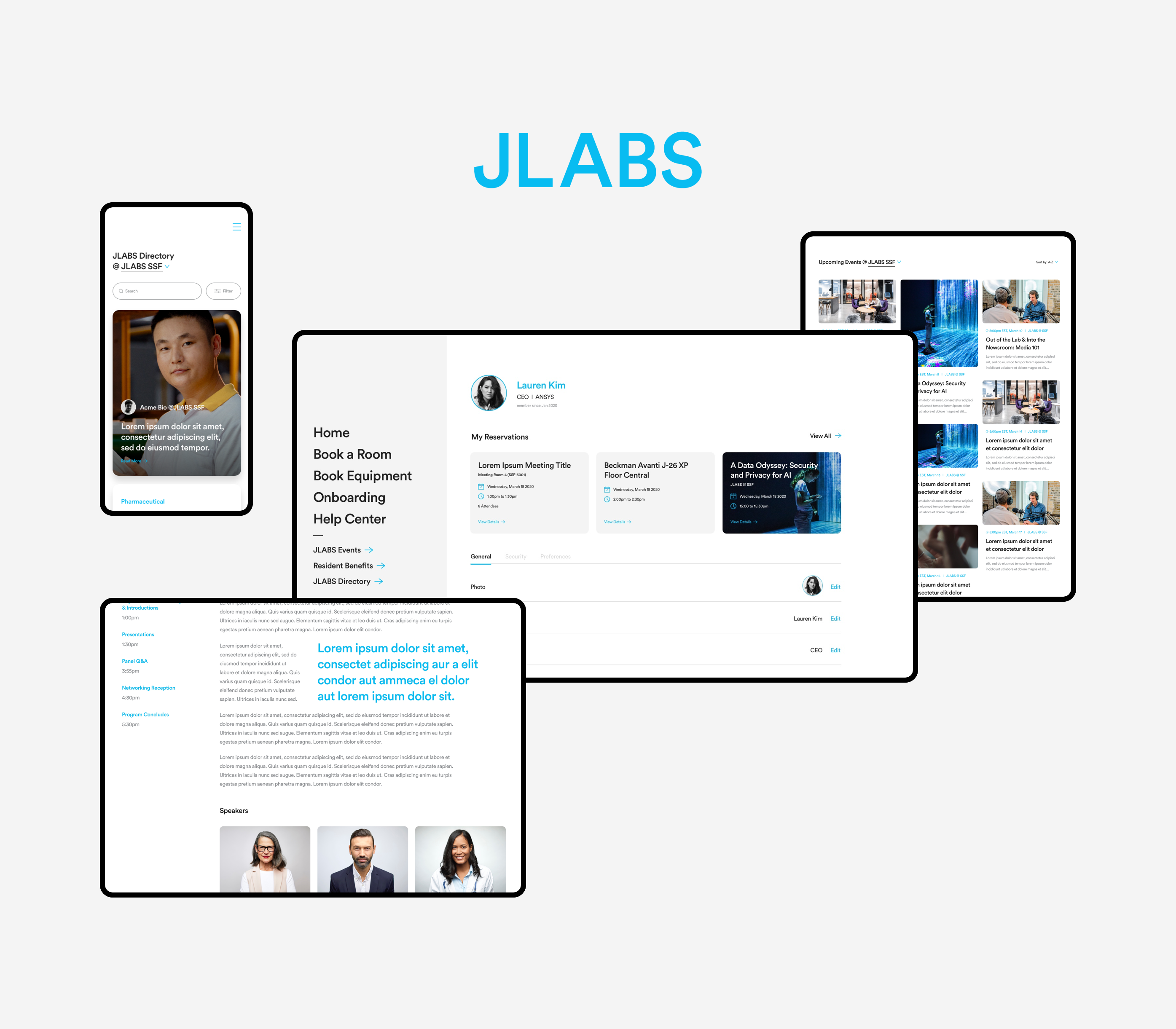
Johnson&Johnson came to AKQA looking to do a digital redesign for JLABS’s internal site, Juniverse. JLABS is a network of no-strings-attached science incubators enabling innovators to accelerate the delivery of healthcare solutions to patients around the world.
The objective of this redesign is to assess the capabilities of the Juniverse site. What was the most used features? How could we increase engagement and promote usage? Working together with their internal team, we lead the redesign to simplify the main navigation bar, evaluate the neccesities and extend the existing functionalities to allow users to navigate and complete task actions without hinderance.
Studio:
Client:
AKQA
Johnson&Johnson
UX Lead:
Art Director:
Designer:
Abby Bridges
Rusty Perrett
Carissa The

Problem
Based on the data collected from existing users the JLABS’s internal website, Juniverse is not utilized as the resource it is intended to be. Users have trouble navigating to the features they want to access either due to the placement or naming convention —They get frustrated as this means extra steps is required to get desired results. Juniverse was not viewed as a dependable resource.
It was difficult for users to complete a task with the Juniverse site. For example, a simple task such as booking a room often proved to be daunting. From the first step of finding where the feature is located, problems are encountered in the site navigation as there is too many content, resulting in important features to be nested within one another. If successful, they can then continue towards the second step of completing task details such as inviting attendees and selecting a room and time. However, based on the data collected, it showed that most users ended dropping off during the first step, or encountered a notice that one of the details selected is not available. This issue extended to all functions in the site — there is a lack of thoughtfulness in feature location, as well as nuances in the user journey.
These complaints in Juniverse has been present for years and is a major pain point for internal users. As these problems were not dealt with early on, it became a habit for users to email their managers to personally help them book rooms, equipments or any other tasks that should have been able to be done independently via Juniverse.

Reevaluating content
The central change of this project was to reevaluate the content and offerings by Juniverse. Based on the data collected from an exisiting pool of users, we focused on reducing feature offerings that give little value to the users.

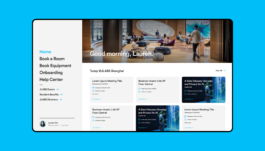
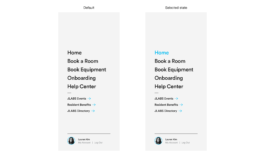
Fixed sidebar navigation — Condensing the navigation, the 5 main categories are features that users tend to look for when visiting the Juniverse site, while the secondary categories are centered on specific employee informations that the users might need to access
Viewing availability — Allowing users to view availability when booking a room/equipment early on intercepts the problem of running into availability issues at the end. Using a familiar calendar UI format, users are able to view all availability for the day at a glance.
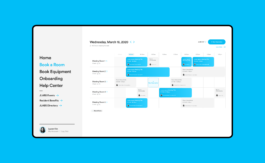
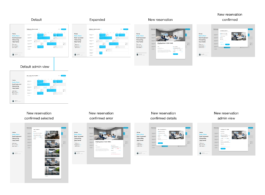
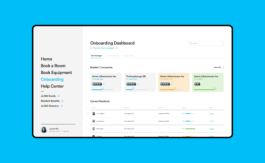
Booking feature — Booking is the task action that required the most elaborate user journey. The original issue was rooted in a lack of thought on what is needed for the users to successfully complete a booking. The main goal was to ensure that users could smoothly complete a booking without having to do any action twice. To ensure this, we included the availability of bookings as the default page, and added a modify action.

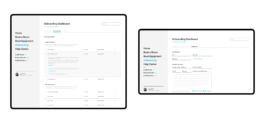
Onboarding — The toughest page to flesh out into a high fidelity wireframe was the Onboarding dashboard. During each versions we had worked on, a repetitive issue faced was how much information needed to exist within the page. To solve this we decided to take advantage of a tab menu, dividing the onboarding journey into three distinctive sections.

Streamlining the process — Users should be able to do everything they need to do in one page during each onboarding section, without having to take any additional steps.
Research
The research done was mostly based off the user feedback we got from the internal teams, as well as having a go at the site ourselves. The Juniverse site itself has an overwhelming amount of features that nobody was really using, as there is abysmally low adoption rate.
1. Users have trouble navigating the site.
2. Too much back and forth.
3. User journey is not being considered properly.
4. Overwhelming amount of information.
5. No location specific option for relevant notifications.
6. Users cannot track their own tasks in their dashboard.
Opportunity — The opportunity for Johnson & Johnson through this project was specific: To improve employees productivity by enabling simple internal tasks completion (i.e room booking) independently.
Design System
To accomodate the numerous changes made in content and features, a core design system should be upheld for consistency in UI and brand elements.

Grid System — The grid system is made in accomodation of different breakpoints for desktop 1920px, tablet 1440px and mobile 896px.

Updated Colors — Focusing on one main color as the primary color, and using subdued tones of grays as secondary colors.

Typography — Only one typeface is used throughout the site, differing in size depending on the format and breakpoints.
Reflections
This was a tricky product for the team to work on as new "research data" from the client kept coming in, resulting in additional scoping requirements and iterating wireframes on a daily basis. It was quite challenging at times, especially since it was the beginning of remote work. Still, I learned quite a lot during the course of this project and walked away with some important takeaways.
Adapting to changes — There was so many changes daily, and things can get overwhelming quick. There was moments where yesterday’s work was no longer relevant. That being said, the constant that grounded me was the fact that I still had to deliver the best designs I could produce and meet all the requirements and deadlines.
Work hard, but be smart — During this project I had a very tight schedule, in order to always deliver without overestimating my own time and capabilities. One thing that was handy was to keep a very strict time tracker that I shared with the wider team so they can visualize my bandwidth for the week clearly.
Communicate and collaborate — Communicating with transparency helps the team as a whole, as everyone is working towards the same goal.
Choosing what to prioritize — As I had very limited time and a lot to deliver, I learned very early on that I needed to go back to the outcome expected from this product when communicating with client side. Although I did wish that success metrics could have been understood and defined more upfront.
Project:
J&J Innovation
Johnson&Johnson came to AKQA looking to do a digital redesign for JLABS’s internal site, Juniverse. JLABS is a network of no-strings-attached science incubators enabling innovators to accelerate the delivery of healthcare solutions to patients around the world.
The objective of this redesign is to assess the capabilities of the Juniverse site. What was the most used features? How could we increase engagement and promote usage? Working together with their internal team, we lead the redesign to simplify the main navigation bar, evaluate the neccesities and extend the existing functionalities to allow users to navigate and complete task actions without hinderance.
Studio:
Client:
AKQA
Johnson&Johnson
UX Lead:
Art Director:
Designer:
Abby Bridges
Rusty Perrett
Carissa The

Problem
Based on the data collected from existing users the JLABS’s internal website, Juniverse is not utilized as the resource it is intended to be. Users have trouble navigating to the features they want to access either due to the placement or naming convention —They get frustrated as this means extra steps is required to get desired results. Juniverse was not viewed as a dependable resource.
It was difficult for users to complete a task with the Juniverse site. For example, a simple task such as booking a room often proved to be daunting. From the first step of finding where the feature is located, problems are encountered in the site navigation as there is too many content, resulting in important features to be nested within one another. If successful, they can then continue towards the second step of completing task details such as inviting attendees and selecting a room and time. However, based on the data collected, it showed that most users ended dropping off during the first step, or encountered a notice that one of the details selected is not available. This issue extended to all functions in the site — there is a lack of thoughtfulness in feature location, as well as nuances in the user journey.
These complaints in Juniverse has been present for years and is a major pain point for internal users. As these problems were not dealt with early on, it became a habit for users to email their managers to personally help them book rooms, equipments or any other tasks that should have been able to be done independently via Juniverse.

Reevaluating content
The central change of this project was to reevaluate the content and offerings by Juniverse. Based on the data collected from an exisiting pool of users, we focused on reducing feature offerings that give little value to the users.

Fixed sidebar navigation — Condensing the navigation, the 5 main categories are features that users tend to look for when visiting the Juniverse site, while the secondary categories are centered on specific employee informations that the users might need to access
Viewing availability — Allowing users to view availability when booking a room/equipment early on intercepts the problem of running into availability issues at the end. Using a familiar calendar UI format, users are able to view all availability for the day at a glance.

Booking feature — Booking is the task action that required the most elaborate user journey. The original issue was rooted in a lack of thought on what is needed for the users to successfully complete a booking. The main goal was to ensure that users could smoothly complete a booking without having to do any action twice. To ensure this, we included the availability of bookings as the default page, and added a modify action.

Onboarding — The toughest page to flesh out into a high fidelity wireframe was the Onboarding dashboard. During each versions we had worked on, a repetitive issue faced was how much information needed to exist within the page. To solve this we decided to take advantage of a tab menu, dividing the onboarding journey into three distinctive sections.

Streamlining the process — Users should be able to do everything they need to do in one page during each onboarding section, without having to take any additional steps.
Research
The research done was mostly based off the user feedback we got from the internal teams, as well as having a go at the site ourselves. The Juniverse site itself has an overwhelming amount of features that nobody was really using, as there is abysmally low adoption rate.
1. Users have trouble navigating the site.
2. Too much back and forth.
3. User journey is not being considered properly.
4. Overwhelming amount of information.
5. No location specific option for relevant notifications.
6. Users cannot track their own tasks in their dashboard.
Opportunity — The opportunity for Johnson & Johnson through this project was specific: To improve employees productivity by enabling simple internal tasks completion (i.e room booking) independently.
Design System
To accomodate the numerous changes made in content and features, a core design system should be upheld for consistency in UI and brand elements.

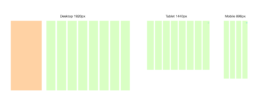
Grid System — The grid system is made in accomodation of different breakpoints for desktop 1920px, tablet 1440px and mobile 896px.
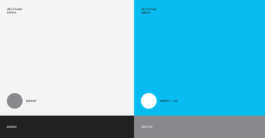
Updated Colors — Focusing on one main color as the primary color, and using subdued tones of grays as secondary colors.

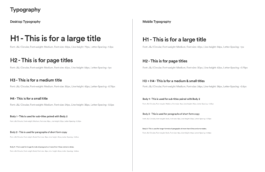
Typography — Only one typeface is used throughout the site, differing in size depending on the format and breakpoints.
Reflections
This was a tricky product for the team to work on as new "research data" from the client kept coming in, resulting in additional scoping requirements and iterating wireframes on a daily basis. It was quite challenging at times, especially since it was the beginning of remote work. Still, I learned quite a lot during the course of this project and walked away with some important takeaways.
Adapting to changes — There was so many changes daily, and things can get overwhelming quick. There was moments where yesterday’s work was no longer relevant. That being said, the constant that grounded me was the fact that I still had to deliver the best designs I could produce and meet all the requirements and deadlines.
Work hard, but be smart — During this project I had a very tight schedule, in order to always deliver without overestimating my own time and capabilities. One thing that was handy was to keep a very strict time tracker that I shared with the wider team so they can visualize my bandwidth for the week clearly.
Communicate and collaborate — Communicating with transparency helps the team as a whole, as everyone is working towards the same goal.
Choosing what to prioritize — As I had very limited time and a lot to deliver, I learned very early on that I needed to go back to the outcome expected from this product when communicating with client side. Although I did wish that success metrics could have been understood and defined more upfront.